A purposeful home office matters because it shapes how you work, feel, and balance life. For U.S. remote workers, freelancers, and hybrid employees, a productive home office starts with clear goals: reduce strain, cut interruptions, and support focused tasks like video calls and content creation.
Think of functional home office essentials as a checklist that blends ergonomics, technology, lighting, acoustics, and simple routines. An ergonomic home office with an adjustable chair from brands such as Herman Miller or Steelcase and proper monitor placement eases neck and back pain, while a reliable computer from Dell, Apple, or HP and a fast router keep collaboration smooth.
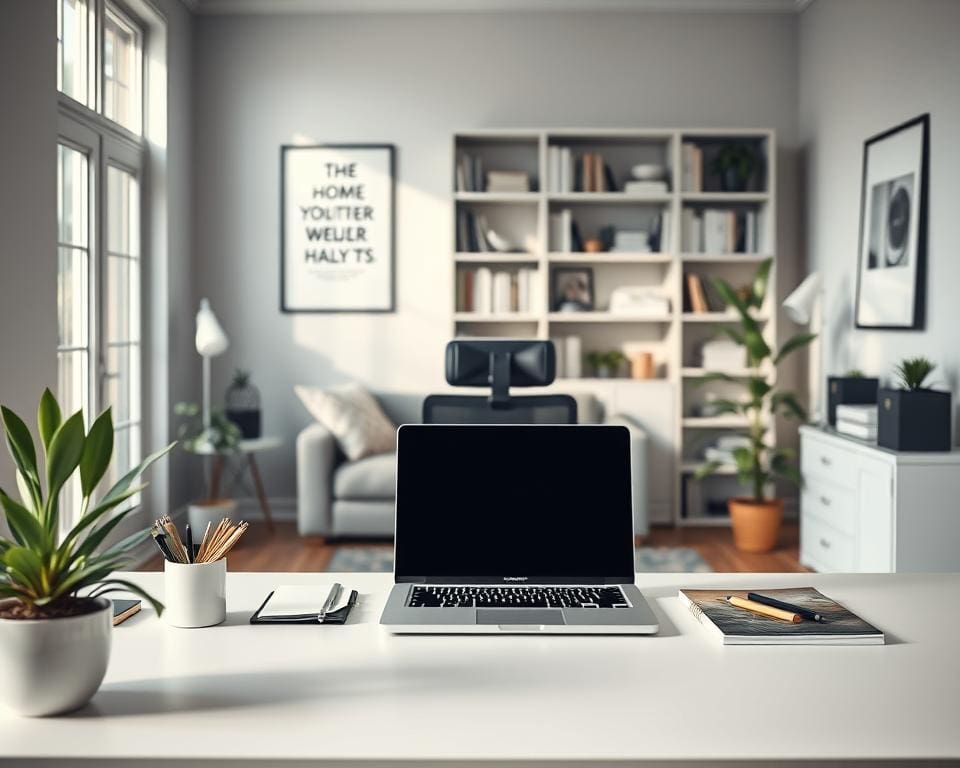
Location and clutter matter. Choose a quiet corner away from high-traffic areas, assess space, and declutter so your remote work workspace stays calm and efficient. Natural light near a window improves mood and output, and soft blue or green accents help sustain focus.
This article will walk through ergonomic furniture and tech, then cover design and storage, and finish with productivity tools and routines. Along the way you’ll find practical tips for a scaled home office setup—from budget-friendly tweaks to premium upgrades—so you can start improving your productive home office today and plan future refinements.
For a concise how-to guide that complements these ideas, see this practical resource on setting up a productive home office: productive home office setup.
What are the essentials for a functional home office?
A productive home office blends comfort, reliable tech, and a calm atmosphere. Thoughtful choices cut fatigue and lift focus. Small changes in furniture, connectivity, lighting, and sound control make long workdays feel easier.
Ergonomic furniture to support health and focus
Choose an ergonomic office chair or a lumbar support chair that lets you fine-tune height, tilt, and armrests. Set the seat so your feet rest flat and knees form about a 90-degree angle. Align lumbar support with the natural curve of your lower back to keep neutral posture during long sessions.
Pair the chair with an adjustable desk or an electric standing desk so you can alternate positions. Standing desk benefits include reduced sedentary time and improved energy. Aim for a desk depth of 24–30 inches so monitor placement keeps screens at arm’s length and the top of the display at or slightly below eye level.
Technology and connectivity essentials
Fast, stable networking is nonnegotiable. Plan for high-speed internet for home office use with upload and download speeds that match your workload. For heavy video calls or large file transfers, target 100+ Mbps. Keep backup internet options ready, such as a mobile hotspot or a secondary ISP, to avoid interruptions.
Choose computers and the best monitors for remote work that suit your tasks. For most users, 24–27 inch panels at 1080p–1440p offer clear visuals. Color-critical work may need larger 4K IPS screens. Place monitors to reduce neck strain and position primary displays centrally for multi-monitor setups.
Add essential home office accessories like an ergonomic keyboard and mouse to maintain neutral wrist positioning. Use a docking station for tidy single-cable laptop connections. Protect gear with a surge protector and consider a UPS for mission-critical systems. Keep cables organized with under-desk trays and Velcro ties.
Lighting and acoustics to enhance productivity
Maximize natural light without glare by placing your desk near a window and using sheer curtains or adjustable blinds. Layer with home office lighting and task lighting that offer adjustable brightness and color temperature. Cooler tones help focus in the day, warmer tones suit late work.
Take steps to reduce screen glare with matte monitors or anti-glare filters. Adjust color temperature with built-in night modes or apps to ease eye strain during long sessions.
Noise control helps maintain a calm work environment. Use acoustic panels, rugs, thicker curtains, or a soundproof home office approach to cut reflections and hallway noise. Portable room dividers and white noise machines offer affordable masking. Directional microphones and noise-canceling headsets improve call clarity.
For design tips that boost calm and productivity, see research-based suggestions on natural light, colour, and decluttering. Small, intentional upgrades deliver measurable gains in comfort and focus.
Design, organization, and storage for an inspiring workspace
A thoughtful home office layout turns a room into a productive place. Start by defining work zones: a primary desk area for focused tasks, a storage zone for files and supplies, and a small relaxation corner for short breaks. Use rugs, lighting shifts, or shelving to mark transitions so your brain recognizes when to work and when to rest.
Space planning that matches your daily tasks
Measure your room and map traffic flow before you buy furniture. Place often-used items within arm’s reach and keep printer or scanner near power outlets. For tight rooms, use small space home office ideas like wall-mounted desks, fold-down tables, corner desks, or compact standing desks that free floor space.
Think office zoning when you lay out furniture. A corner desk can hold your monitor and keyboard, while a nearby shelf marks the storage zone. Leave a clear path to windows to keep natural light and ventilation unobstructed.
Storage solutions to reduce clutter
Adopt home office storage ideas that match your workflow. Set up filing systems with labeled hanging folders for active and archive files. Choose a lateral filing cabinet for broad drawers or a vertical cabinet for narrow spaces.
Use drawer organizers for pens and small tools, and cable pouches to tame chargers. Desktop trays keep current projects visible but contained. Stackable bins and vertical shelving save floor room and make retrieval faster.
Personalization and visual design for motivation
Balance ergonomics with style so the room supports your health and your taste. Apply office color psychology: soft blues and greens soothe focus, while warm accents like yellow add energy in small doses. Keep the immediate field around your monitor minimal to reduce distraction.
Bring life into the space with plants for office use such as pothos, snake plant, or ZZ plant. They require low maintenance and improve mood. Add a framed print or a rotating inspiration board to create a motivational workspace that feels personal but not cluttered.
- Use multi-purpose furniture like benches with storage or desks with drawers for hidden capacity.
- Scan documents to cloud services such as Google Drive, Dropbox, or OneDrive and keep a clear folder structure to reduce paper.
- Pick a style that suits your temperament: minimalist for fewer distractions, cozy for long-term comfort.
Productivity tools, routines, and maintenance to sustain performance
Start with a simple stack of home office productivity tools that match your workflow. Use Trello, Asana, or ClickUp for project planning, pair Slack, Microsoft Teams, or Zoom for quick communication, and add Toggl Track or RescueTime to understand where your time goes. Connect those apps to Google Calendar or Outlook and build templates for recurring work to save hours each week.
Design remote work routines that protect focus and health. Try Pomodoro rhythms (25/5 or 50/10), schedule short movement breaks, and include standing intervals or desk stretches. Ritualize a morning checklist and an end-of-day shutdown to reinforce work-life boundaries and make transitions clearer for household members and clients.
Prioritize purchases so upgrades are smart and sustainable. Invest in an ergonomic chair and desk first, then improve connectivity and monitors, followed by peripherals, lighting, and acoustic treatments. Phase buys: test your workflow, then upgrade to higher-end gear as productivity gains justify the cost.
Keep systems secure and running with routine maintenance and backup and security for remote work. Use cloud backups like Backblaze, iCloud, or OneDrive, enable BitLocker or FileVault for full-disk encryption, and run trusted antivirus from Norton, Bitdefender, or Microsoft Defender. Add a VPN on public Wi-Fi, two-factor authentication, and a password manager such as 1Password or LastPass. Schedule monthly software updates, weekly surface and cable cleaning, quarterly upholstery care, and annual checks of chair mechanics and desk hardware to extend the life of your setup and maintain peak performance.