
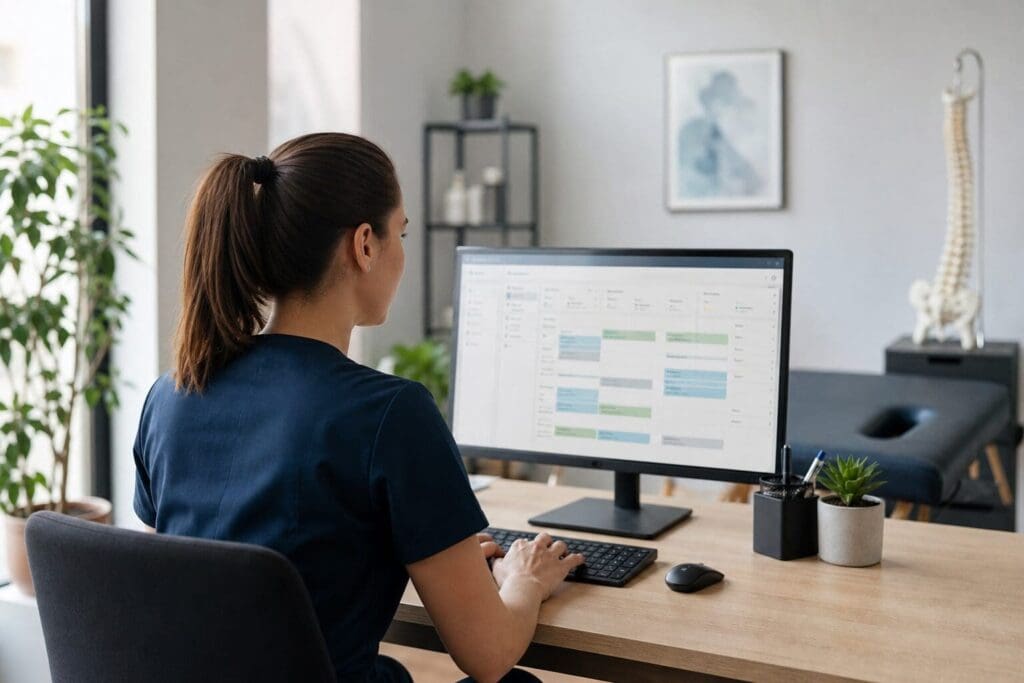
Running a chiropractic clinic is not only about hands-on care. Behind every appointment are bookings, notes, forms, reminders, payments and follow-up tasks. Chiropractic practice management software helps bring these moving parts into one organised system, making daily clinic life easier for chiropractors, reception teams and patients.
Why Chiropractic Clinics Can Become Administratively Busy
A chiropractic clinic often has a steady rhythm of assessments, adjustments, reviews and care-plan appointments. Even a small practice may need to manage new patient enquiries, returning patients, practitioner availability, treatment rooms and payment records every day.
When these tasks are handled across separate tools, the workload can become fragmented. A clinic might use one calendar for bookings, another system for invoices, paper forms for intake details and separate documents for clinical notes. This can lead to duplicated work, missed information and avoidable delays.
Patients may also feel the effects. If booking is slow, reminders are inconsistent or paperwork takes too long at reception, the experience can feel less smooth. For many people, especially those attending regularly, convenience matters.
Practice management software is designed to reduce this friction. By connecting admin, clinical documentation and communication in one place, it can help a chiropractic clinic run with less manual effort and more consistency.
How Chiropractic Practice Management Software Supports Daily Clinic Work
The main value of chiropractic practice management software is that it centralises everyday tasks. Instead of switching between calendars, spreadsheets, paper files and payment tools, the clinic can manage key workflows from one platform.
This does not remove the need for good processes or professional judgement. However, it can make routine tasks quicker, clearer and easier to track.
Easier Appointment Booking and Scheduling
Appointment management is one of the most visible parts of clinic administration. Patients need to know when they can attend, practitioners need accurate diaries and the clinic needs to avoid clashes.
Useful scheduling features may include:
- Online booking that allows patients to request or book appointments at any time
- Multi-practitioner calendars for clinics with more than one chiropractor
- Treatment-room management, so space is used properly throughout the day
- Appointment types for new patient visits, follow-ups, reviews and longer consultations
- Clear daily, weekly and practitioner-specific diary views
For patients, 24/7 online booking can be particularly helpful. They do not need to wait for reception opening hours to arrange a visit. For the clinic, it can reduce phone traffic and make appointment availability easier to manage.
Automated Reminders and Patient Communication
Missed appointments can disrupt both patient care and clinic income. Automated reminders help reduce the chance that someone forgets a booking or arrives at the wrong time.
Reminders can usually be sent by email or text message, depending on the system. They can confirm the date, time and location of the appointment, and may include useful preparation notes where appropriate.
This kind of communication also supports a more professional patient experience. People appreciate timely, clear information, especially when they are attending a clinic for the first time.
Better Clinical Documentation for Chiropractic Care
Clinical records are central to safe and organised chiropractic practice. Chiropractors often need to record assessment findings, treatment details, patient progress and future plans. When notes are rushed, inconsistent or difficult to find, administration becomes harder.
Software designed for chiropractic settings can support familiar clinical workflows, including SOAP notes, progress notes and treatment plans.
SOAP Notes and Treatment Plans
SOAP notes are commonly used in healthcare documentation. The format usually covers subjective information, objective findings, assessment and plan. For chiropractors, this can help structure notes around what the patient reports, what the practitioner observes, clinical reasoning and the agreed approach.
Digital SOAP notes can simplify this process by providing templates, custom fields and repeatable structures. Instead of writing everything from scratch each time, a chiropractor can complete relevant sections efficiently while still personalising the record.
Treatment plans are also easier to track digitally. A clinic may need to record care-plan stages, review points, exercises, recommendations or changes in symptoms. Having this information in one secure patient record makes it easier to see the patient’s journey over time.
Digital Intake Forms and Secure Patient Records
New patient paperwork can take time. Digital intake forms allow patients to provide key information before their first appointment, such as contact details, health history and reason for visiting.
This can reduce waiting room paperwork and give the chiropractor more time to review relevant information before the consultation. It may also reduce errors caused by unclear handwriting or incomplete forms.
Secure patient records are equally important. A central digital record can keep forms, notes, appointment history and payment information in one place. This makes it easier for authorised clinic staff to find what they need without searching through paper files or separate systems.
Simplifying Payments, Packages and Reporting
A chiropractic clinic also needs to manage the financial side of care. Invoices, receipts, payment tracking and care packages all require careful administration.
Practice management software can support these tasks by linking appointments and payments. When a visit is completed, the clinic can create an invoice, take payment and record the transaction in the patient’s account. This reduces the need for manual reconciliation later.
Some chiropractic clinics offer packages, memberships or care plans. Software that tracks these arrangements can help staff see how many sessions remain, when reviews are due and whether payments are up to date.
Reporting is another useful area. Practice reports can help clinic owners understand patterns such as appointment volume, practitioner activity, payment status and patient attendance. These insights do not replace professional experience, but they can make practice decisions better informed.
For multi-practitioner clinics, reporting can be especially useful. It helps show how diaries, rooms and services are being used across the whole practice.
What to Look for When Choosing a Platform
Not every system will suit every clinic. A solo chiropractor may need a simple, efficient setup, while a larger clinic may require more advanced scheduling and reporting.
Key features to consider include:
- Online booking: Patients can arrange appointments more easily, including outside opening hours.
- Automated reminders: Text or email reminders help reduce forgotten appointments.
- Customisable clinical notes: SOAP notes, progress notes and treatment plans should fit chiropractic workflows.
- Digital forms: Intake forms can be completed before the visit and stored securely.
- Secure patient records: Clinical, personal and appointment information should be organised and protected.
- Payments and invoicing: The system should support straightforward billing and clear account records.
- Multi-practitioner support: Clinics with several chiropractors need diary and room coordination.
- Reporting tools: Practice data should be easy to review without building manual spreadsheets.
- Cloud access: Browser-based systems can be used from different devices without local installation.
Ease of use is also important. A feature-rich platform is only helpful if the clinic team can use it confidently during a busy day.
Where Ruana Fits for Chiropractic Clinics
Ruana offers cloud-based chiropractic practice management software designed for chiropractic and other health and wellness practices. Its platform combines online booking, scheduling, customisable SOAP notes, digital forms, invoicing, superbills, payments, reminders and practice reporting.
For solo chiropractors, this kind of all-in-one structure can reduce the need to manage separate tools. For multi-practitioner clinics, features such as shared scheduling, care-plan tracking, packages and memberships can help organise more complex workflows.
Because getruana.com works through a browser, there is no software installation required. The platform can be accessed from different devices, which may suit clinics where practitioners and administrative staff need flexible access to the same system.
As with any practice management platform, the best fit depends on the clinic’s size, services, internal processes and documentation needs.
Frequently Asked Questions
What is chiropractic practice management software?
Chiropractic practice management software is a digital system that helps clinics manage appointments, patient records, clinical notes, payments, reminders and reporting from one organised place.
Can software improve the patient experience at a chiropractic clinic?
Yes. Online booking, digital forms and appointment reminders can make visits feel smoother, reduce waiting time and help patients understand what to expect.
Is this type of software only for large chiropractic clinics?
No. Solo chiropractors can use it to reduce admin, while larger clinics may benefit from multi-practitioner scheduling, room management and reporting tools.
Why are SOAP notes important in chiropractic software?
SOAP notes provide a clear structure for documenting patient information, clinical findings, assessment and treatment plans, helping chiropractors keep consistent and useful records.
Does cloud-based software need to be installed on clinic computers?
Usually not. Cloud-based systems work through a web browser, so authorised users can access the platform from suitable devices without local software installation.