Creating a practical home office means carving out a dedicated home workspace that supports your tasks and fits your life. A good practical home office design blends ergonomics, storage and tech so you can focus without turning your living room into a permanent workplace.
The benefits are measurable: better concentration, less physical strain, clearer boundaries between work and home, and time saved by fewer interruptions. When you get the basics right, your remote working setup becomes more efficient and less tiring over a long day.
Start by noting the factors that will guide the rest of the article: your budget, available space, the type of work you do (video meetings, creative tasks or data entry), equipment needs such as a desktop or laptop and dual monitors, how often you work from home, and any accessibility needs. Also consider household dynamics, like shared spaces, children or pets.
Practical constraints in UK homes matter. Many British flats, terraced houses and smaller rooms limit layout options. Tenants should think about permissions for drilling or alterations, while energy considerations such as central heating and insulation affect where you place equipment and lighting.
Use this quick checklist as you read on: decide your primary tasks, measure the available space, set a realistic budget, list must-have equipment (desk, chair, reliable internet) and pick one focal improvement to start with, whether that is lighting, ergonomics or storage. The advice here aligns with guidance from the Health and Safety Executive and common interior practices from retailers like IKEA and John Lewis, plus productivity research on the environment’s effect on focus.
home office: planning your space for productivity
Before you buy furniture or move cables, take time to plan. Good planning home office decisions start with simple questions about tasks, equipment and daily routines. A clear brief saves time and helps you avoid costly mistakes.
Assessing your work needs and habits
First, identify your primary tasks: video calls, note-taking, coding or printing. List how often you do each task so you can prioritise the workspace. This helps you assess work needs and match furniture to function.
Note equipment and power demands. Count monitors, printers and chargers, and check BS 1363 socket access. Factor in USB-C power delivery if your laptop uses it. Plan for a surge protector and spare outlets.
Map your day. Record peak focus hours and common interruptions. Use simple rules or household agreements to reduce disturbances. Think about ergonomics early; decide if a sit/stand option or extra lumbar support is required for long hours.
Check connectivity. Decide required broadband speed for video calls and cloud work. Look at router position and whether you need Wi‑Fi extenders or an Ethernet run to meet your needs.
Choosing the right location within your home
Pick a quiet, well-ventilated spot with natural light whenever possible. Spare bedrooms, alcoves and loft corners work well in many UK homes. Think about where natural light falls through the day.
For flats or smaller homes, be creative. Wall-mounted desks or folding solutions save floor space. Use screens or bookcases as visual dividers when you carve a niche in a living area.
Be mindful of tenancy rules. Choose freestanding furniture and non-invasive cable fixes if you might move. Place the workspace near sockets and the broadband entry point. Avoid noisy appliances and draughty external walls in older properties.
Measuring space and creating a layout plan
Measure carefully. Record width, depth, ceiling height and door swing. Note window positions and radiators so you can place desks without blocking heat or light.
Draw a simple scale plan on paper or use a free room planner. Try layouts that separate work surface, equipment and storage. Plan a small movement zone if space allows.
Allow circulation space. Leave about 75–90 cm behind a chair so you can stand and move comfortably. Check drawer and filing cabinet clearances before you finalise the home office layout.
Mark light and noise sources on your plan. This helps you orient the desk and decide on blinds or acoustic panels later. Finally, set a realistic budget and prioritise spend on a good chair and reliable connectivity.
Ergonomic furniture and equipment for comfort and health
Creating an ergonomic home office begins with furniture and tools that support your posture and daily routine. Small changes to chair height, desk surface and monitor placement can reduce strain and boost comfort. Think about how you move during the day and arrange your workspace to match those patterns.
Selecting an ergonomic chair and desk
Choose a chair that offers adjustable seat height, reliable lumbar support and seat depth adjustment. Brands such as Herman Miller (Aeron), HÅG and practical choices from IKEA and John Lewis give a range of options if you want the best office chair UK has to offer. Try seating in store where possible to find the right fit for your body.
Your desk should allow forearms to sit parallel to the floor when typing. For many people a fixed desk sized at least 120 x 60 cm works, but an adjustable desk that lets you alternate between sitting and standing helps reduce back pain and keeps you moving. Select a model rated for monitor arms and plan cable management to avoid trip hazards.
Monitor, keyboard and mouse setup to reduce strain
Set the top of your monitor at or slightly below eye level and about 50–70 cm from your face to maintain a healthy neck position. Use an adjustable arm or monitor stand to fine‑tune height and free up desk space. For guidance on layout and focus, see this desk setup overview.
Good keyboard ergonomics start with a low‑profile or split keyboard and keeping wrists neutral. A contoured mouse or trackball helps prevent ulnar deviation. Use wrist rests only for short breaks, not while actively typing. Follow the 20-20-20 rule to ease eye fatigue and check contrast and text size on your display.
Storage solutions that keep essentials accessible
Maximise vertical space with tall shelving, wall-mounted shelves or pegboards to keep items visible and within reach. Mobile pedestal drawers and lockable filing cabinets secure paperwork while keeping frequently used supplies close at hand.
Cable trays, under‑desk mounts and labelled power strips reduce clutter and dust build-up. Small safes or lockable cabinets are sensible if you share your home or rent, protecting passports, company devices and confidential files. Adopt simple desk organisers and slim boxes to keep your immediate workspace tidy and efficient.
Lighting, colour and acoustics to enhance focus
Good lighting and sound control shape how you feel and work. Think about how daylight and artificial light meet in your room. Pair that with calm office colour schemes and simple acoustic treatments to create a dependable place for concentrated work.
Maximising natural light
Place your desk to take advantage of side or front light where possible. Natural light desk placement that avoids putting your monitor directly in front of a bright window reduces glare and contrast problems. South- or west-facing windows in the UK bring strong light in the afternoon; use blinds or sheer curtains to diffuse glare and limit overheating.
Task lighting and adjustable options
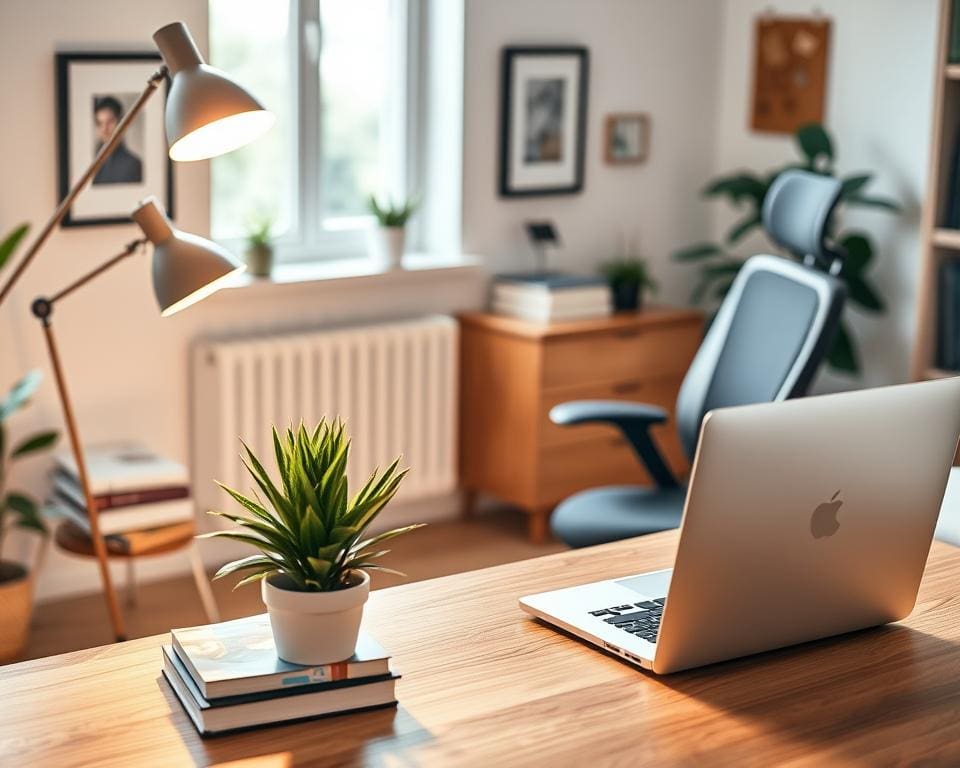
Use a focused desk lamp with an adjustable arm and dimming control to match the time of day. Aim for 500–750 lux for detailed tasks and pick LED lamps for efficiency and long life. Combine ambient ceiling light with task lighting to cut eye strain and permit flexible brightness during long work sessions.
Choosing colours that support concentration
Adopt muted blues and greens for calm, faster focus. Start with a neutral base such as off-white or pale grey to keep the room feeling spacious. Add accent hues through soft furnishings and artwork so you can change tone without repainting.
Reducing noise and improving sound privacy
Identify common noise sources and work around them. To reduce noise home office use heavy curtains, rugs and bookcases as sound buffers. Acoustic treatments such as wall panels help if you take frequent calls or record audio.
For a practical checklist and more ideas on layout and light, read guidance on setting up a productive home office. Small steps to refine home office lighting, task lighting choices, office colour schemes and targeted acoustic treatments make a notable difference to focus and flow.
Organisation, technology and routines to sustain productivity
Start with clear systems so your home office organisation becomes second nature. Create labelled folders and a simple naming convention for both physical and digital files. Use colour coding for urgent items and keep an in-tray for action, awaiting response and archive. A weekly 15–30 minute tidy session helps you purge unneeded papers, back up files and update lists.
Make remote work technology reliable to avoid interruptions. Aim for broadband speeds that support video calls — check providers such as BT, Virgin Media or Sky and consider full-fibre where available. Keep a mobile data hotspot and a UPS for critical setups. Use Microsoft 365 or Google Workspace with Slack, Zoom or Microsoft Teams, and keep apps and your OS up to date.
Protect your work with good security and practical peripherals. Set a strong Wi‑Fi password, enable WPA3 if supported and run antivirus from trusted vendors such as Kaspersky, Bitdefender or Norton. Add a high-quality webcam, a noise‑cancelling headset from Bose or Sony and an external SSD or NAS for backups. Apply simple cable management to reduce clutter and keep power and data leads tidy and safe.
Fix productive habits with clear routines and boundary setting. Define working hours, use time management for home workers with time-blocking or the Pomodoro technique, and build micro-breaks and standing intervals into your day. Agree core hours with others in your household and use visible signals to limit interruptions. Review your setup periodically, plan incremental upgrades to chair and connectivity first, and recycle old kit responsibly when it’s time to replace it.